
Why “How You Ask” Can Make All the Difference
Have you ever asked ChatGPT to do something, only for it to get confused, stall, or give you a completely different response than expected?
The odd thing is, you may not have done anything wrong.
Sometimes the problem is not your idea.
It is not your browser.
It is not your account.
It may simply be the way the request was worded.
And this is one of those small ChatGPT traps that can catch people out.
The Little Trap
When we talk to another person, we often use casual wording.
We might say things like:
“Can you do the Day 5 image?”
“Can you fix this?”
“Can you make it like before?”
“Same again please?”
To us, that makes perfect sense.
We know what we mean.
The problem is that ChatGPT does not always read those casual instructions the same way a person would.
Sometimes it needs a clearer action word.
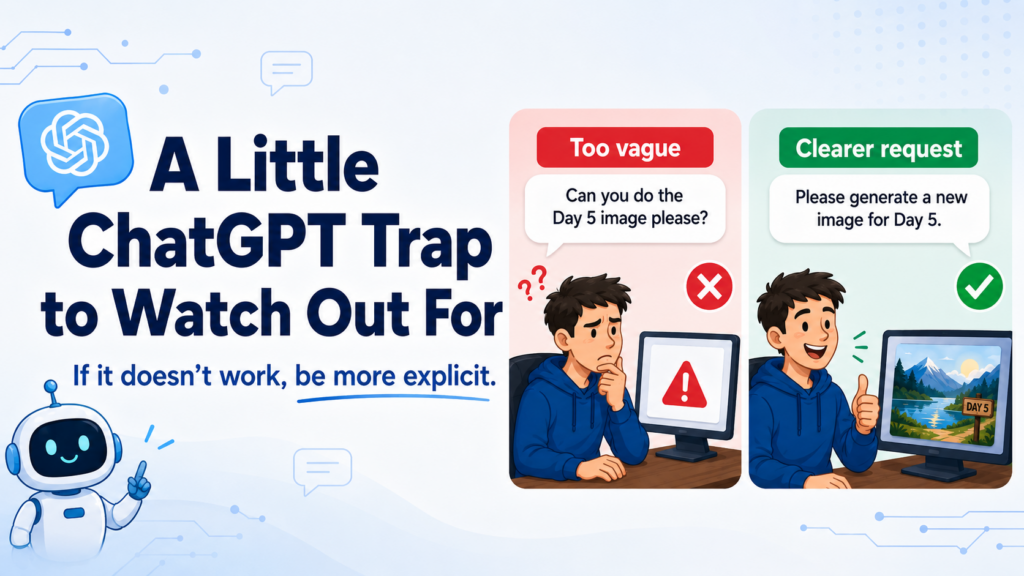
Instead of saying:
“Can you do the Day 5 image please?”
Try saying:
“Please generate a new image for Day 5.”
Same meaning to us.
Different signal to the machine.
Why This Happens
ChatGPT can do a lot of different things.
It can write.
It can rewrite.
It can summarise.
It can explain.
It can brainstorm.
It can create images.
It can help with code.
It can turn rough notes into something polished.
But because it can do so many different things, sometimes it needs to be told very clearly what type of task you want it to perform.
As we discovered… The word “do” is often too vague.
“Can you do this?” could mean:
Explain it.
Rewrite it.
Describe it.
Create an image.
Give feedback.
Continue the previous idea.
Fix a mistake.
ChatGPT “may” guess correctly at times which leads to confusion and frustration…
The Ole… “It worked before… and now… nothing…”
That is why being more explicit can make a big difference.
A Simple Example
Let’s say you are creating a series of diary-style images.
You have already created Days 1 to 4.
Now you want Day 5.
You might naturally type:
“Can you do the Day 5 image please?”
That sounds clear enough. it worked fine for the “other days….1 to 4”
But ChatGPT may not realise you want it to generate a new image.
A better version would be:
“Please generate a new image for Day 5 of the diary series.”
That tells ChatGPT exactly what action you want.
“Generate. New image. Day 5. Diary series.”
Much clearer.
Use Strong Action Words
A simple way to improve your prompts is to start with a clear action word.
For example:
Create.
Generate.
Rewrite.
Summarise.
Explain.
Turn this into.
Make this as.
Shorten.
Expand.
List.
Compare.
Give me.
These words help ChatGPT understand the job.
Instead of saying: “Can you do this?”
Try: “Please rewrite this as a friendly Facebook post.”
Instead of saying: “Can you fix this?”
Try: “Please correct the spelling and grammar, but keep my wording style.”
Instead of saying:“Make it better.”
Try: “Please make this clearer, shorter, and easier for beginners to understand.”
Instead of saying:“Same again.”
Try: “Please create another version in the same style as the previous one.”
A Simple Prompt Formula
Here is an easy formula you can use:
Action + Task + Context + Format
For example:
“Please create a Facebook post explaining this idea in a friendly, beginner-friendly way.”
Let’s break that down.
Action: create
Task: a Facebook post
Context: explaining this idea
Format/style: friendly and beginner-friendly
Here are a few more examples:
“Please generate a new image for Day 5 of the diary series using the same style as the previous images.”
“Please rewrite this email so it sounds warmer and more professional.”
“Please summarise this article into five simple bullet points.”
“Please explain this like I am completely new to the topic.”
“Please turn these rough notes into a blog post for TimBrownlaw.com.”
The clearer the request, the better the result.
What To Do When ChatGPT Gets Confused
If ChatGPT does not do what you expected, do not panic.
And do not assume you broke something.
Try asking again with clearer wording.
Here is a simple rescue prompt:
“Let me be clearer. Please [specific action] this as [specific format].”
For example:
“Let me be clearer. Please generate this as a new image, not a written description.”
Or:
“Let me be clearer. Please rewrite this as a Facebook post I can copy and paste.”
Or:
“Let me be clearer. Please turn this into a step-by-step tutorial.”
That small reset can often get things moving again.
I have even asked it directly… “It seems we are having a problem performing [The Task], how can I explain it better to help?”
Before and After Examples
Too Vague
“Can you do this?”
Clearer
“Please rewrite this as a short Facebook post.”
Too Vague
“Make it better.”
Clearer
“Please make this clearer, shorter, and more beginner-friendly.”
Too Vague
“Same again for Day 5.”
Clearer
“Please generate a new Day 5 image in the same style as Days 1 to 4.”
Too Vague
“Fix this.”
Clearer
“Please correct the spelling and grammar, but keep the casual tone.”
Too Vague
“Can you help with this?”
Clearer
“Please give me three simple options for improving this idea.”
The Big Lesson
ChatGPT is powerful, but it is not magic. It still needs clear instructions.
The good news is, you do not need to learn complicated prompting tricks. You just need to be a little more specific.
Tell it what you want. Tell it what format you want. Tell it what style you want. And when needed, tell it what not to do.
For example:
“Please create this as an image, not a written description.”
“Please give me the finished version, not just suggestions.”
“Please keep it simple and beginner-friendly.”
“Please make this suitable for Facebook.”
Those little details help a lot.

I am an avid Website developer and Affiliate Marketer.
I created my First Website back in 2001 using Frontpage (yes that old…) which quickly led me into Hand coding HTML and CSS.
So over time I got a bit handy with custom PHP scripts and MySQL Database Design and not forgetting javascript.
So, If you ever have any questions – except for “what are the winning lotto numbers” I will do my best to help when I can.